
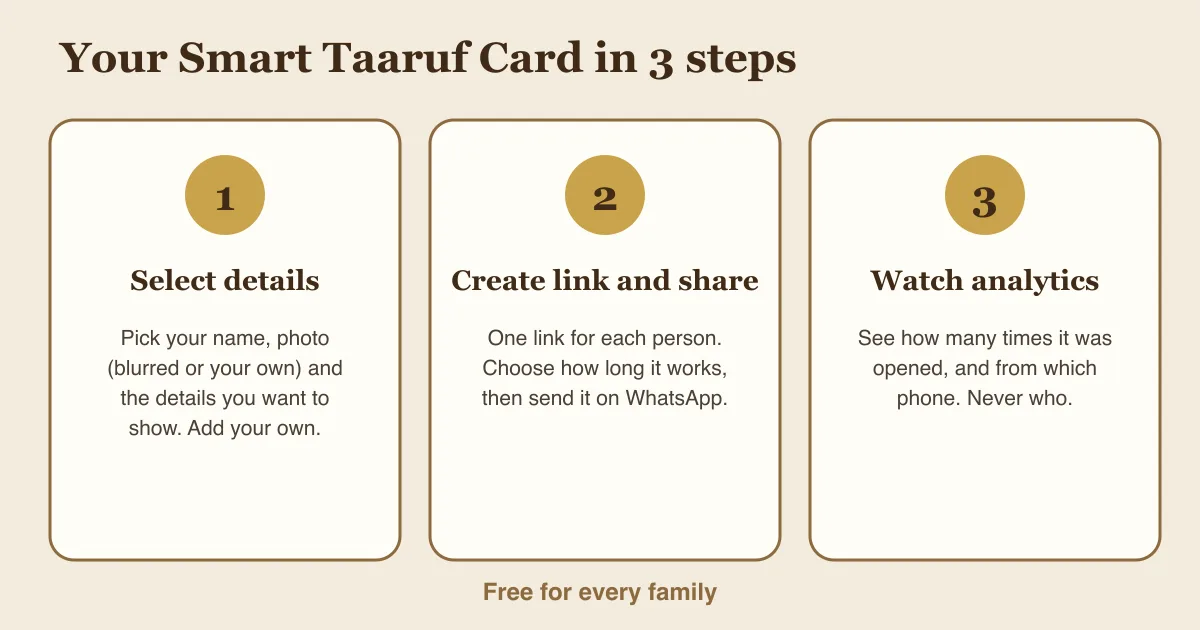
A Smart Taaruf Card is your biodata as a private link instead of a file. You decide what people see, you send a separate link to each person, and you can stop it whenever you like. It takes about five minutes and it is free.
Here is how to make yours.
Before you start
You need a free Bohra Taaruf account. If you do not have one, create your account, then open the Share page. The page has three tabs, one for each step below.
Step 1: Select the details to show
Open the Select details tab.
Your name. Choose First name or Full name.
Your photo. It is blurred unless you choose My photo. If you choose your own photo, you will be asked for your password first. The small card that appears in a chat always uses the blurred photo, even if you choose your own for the page.
Your details. Switch on only the ones you want: age, marital status, city, jamaat, height, education, profession, siblings, an intro line, about me, willingness to relocate, practice level and family expectation. Anything left off is not shown.
Add your own. You can add a detail that is not on the list, such as your father's business, your native place or your family background. Give it a short title and a line of detail.
Your phone number, email and ITS number are never shown, whatever you choose. Please do not type them into your own details either, because anyone with the link can read what you write there.
Tap Preview to see exactly what people will see before you send anything.
Step 2: Create a link and share it
Open the Create link & share tab.
Name the link after the person it is for, for example "Family A". You will always know who has it.
Choose how long it works: One view only, 24 hours, 3 days, 7 days or 30 days. One view only is the safest, because the link stops working after it is opened once.
Send it. Copy the link, or tap Send on WhatsApp.
A tip for One view only: the link works once, so open it in your browser, not inside WhatsApp, because it cannot be opened again.
Make a new link for each person. Do not forward a link that someone sent to you.
Step 3: Watch your analytics
Open the Analytics tab. For each link you can see:
how many times it was opened and when it was last opened
which phone it was opened on, such as iPhone, Android or a computer
how many people joined Bohra Taaruf from it
opens per day over the last 7, 30 or 90 days
You never see who opened it. That is by design, and it keeps the person opening it private too.
Stop a link, or switch everything off
To stop one link, open it and tap Stop link.
To stop everything, use the Sharing switch at the top of the page and confirm Switch off. Every link stops straight away. Switch it back on when you want to make a new link.
If you change your details later, you only change them once. Every active link then shows the latest.
An honest note
A Smart Taaruf Card gives you control: you choose what shows, you know how many times it was opened, and you can stop it. It cannot remove a screenshot someone has already taken. That is why the card never contains your phone number or ITS number, and why you should only share it with people you trust. For more, read our guide to sharing a biodata safely and what to do if your biodata was forwarded.
Questions
Is the Smart Taaruf Card free? Yes, for every family. Bohra Taaruf never charges money for any feature. If anyone asks you to pay, do not.
Do the people I send it to need an account? No. They can open your link without one, and can join Bohra Taaruf if they wish.
Can I show my own photo? Yes. The page photo is blurred by default. You can choose to show your own, and we ask for your password first.
Can I use it for more than one person? Yes. Make a separate link for each person and name each one.
More questions? Read the FAQ, see how it works, or learn more about the Smart Taaruf Card.
Ready? Make your Smart Taaruf Card. It is free.