
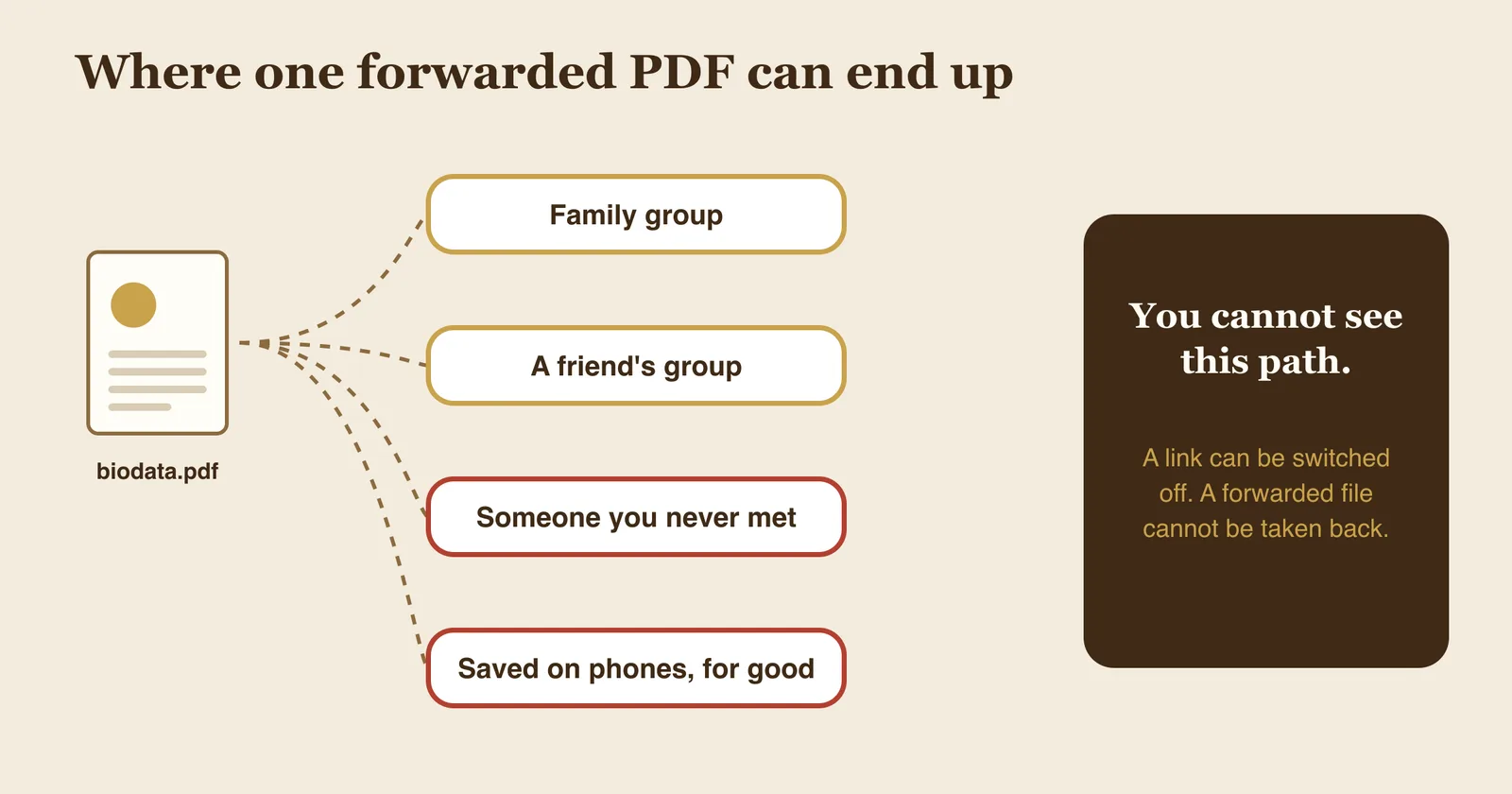
It usually starts with a small surprise. A relative mentions a detail only your biodata contains. A stranger sends a message that begins with "I saw the profile of your daughter." Or a friend says, "Your biodata was in our group."
Nobody did anything wrong on purpose. A biodata sent as a PDF or a photo can be forwarded in one tap, and most people forward it to help. But the result is the same: you no longer know who has it.
Step 1: Find out how far it went, calmly
Start with the person you sent it to, and ask without blame: "Who else has it? Where did you send it?" Most people will tell you, and a calm start keeps the family relationship intact. Write down what you learn: which groups, which people, and roughly when.
Step 2: Ask for it to be removed
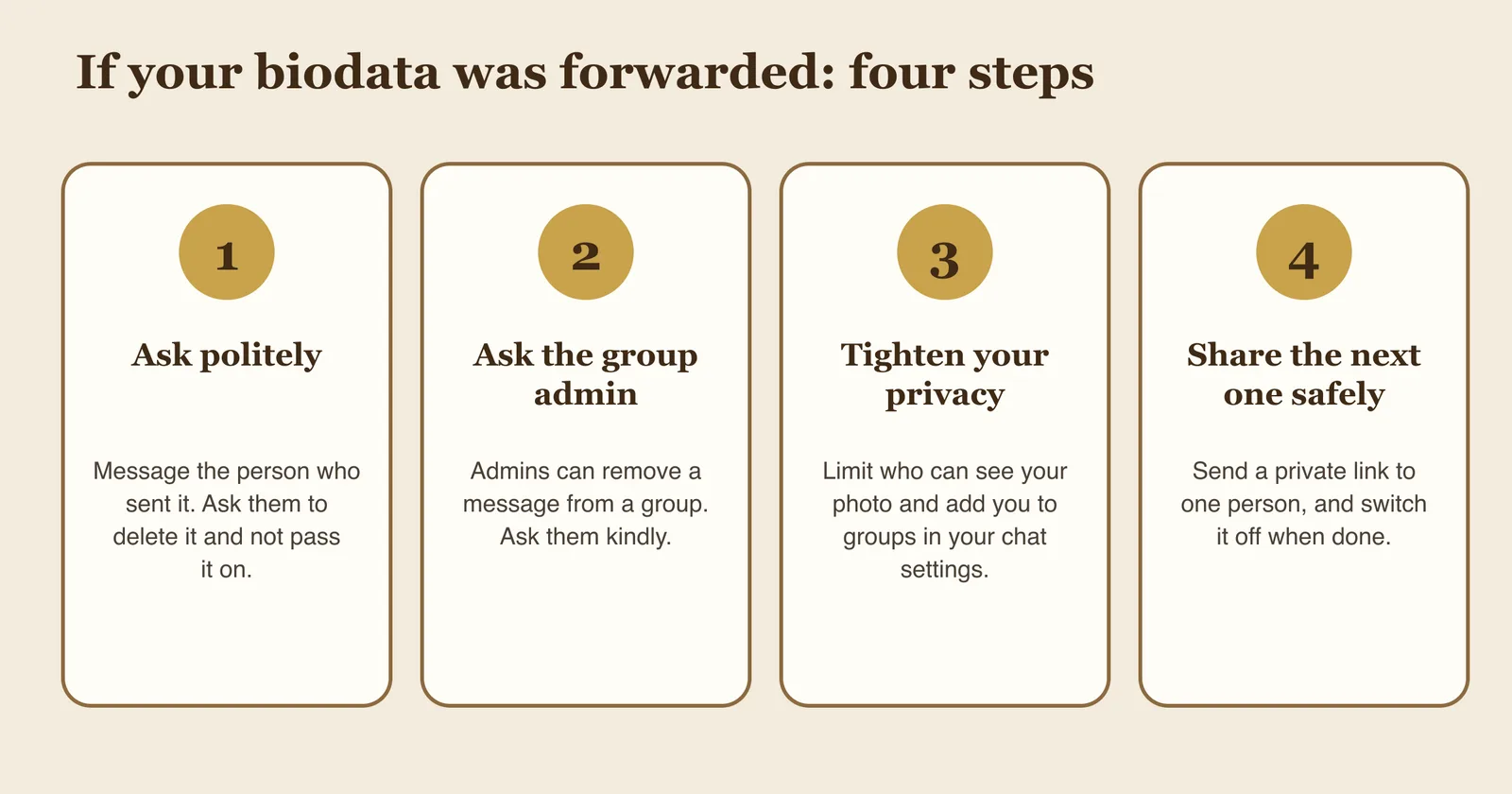
Ask the sender to delete it and not to pass it on. Most will agree once they understand why.
Ask the group admin to remove the message from the group. WhatsApp group admins can do this.
The sender can also delete the message for everyone, but only for a limited time after sending.
Be honest with yourself about the limit: none of this removes copies already saved on other phones. Asking is still worth it, because it stops the next forward.
Step 3: Tighten your own privacy
If your phone number was in the biodata, you may get calls and messages from people you do not know. A few simple settings help:
In your chat app's privacy settings, limit who can see your profile photo to your contacts.
Limit who can add you to groups.
If a stranger writes to you, do not reply with more details. Ask how they got your number, then block and report them if you are uncomfortable.
Tell one trusted elder in the family, so you are not handling it alone.
Step 4: Make the next share different
The real problem is not one forward. It is that a file cannot be taken back. A private link can.
The Smart Taaruf Card is your biodata as a link instead of a file:
You choose what shows. Your phone number, email and ITS number can never be shared, and your photo stays blurred unless you decide otherwise.
One link for one person. Name it after the person it is for, so you always know who has it.
You can see how many times it was opened. You never see who opened it.
You can switch it off. Stop one link, or all of them, whenever you like. Once it is off, the link no longer shows your details.
An honest note: a person who sees your card on their screen could still take a screenshot of what you chose to show. That is why the card never contains your phone number or ITS number, and why you should only share it with people you trust. What you gain is control: you choose what is shown, you know how many times it was opened, and you can stop it.
You can make yours in a few minutes: Make your Smart Taaruf Card. It is free.
A short checklist to keep
Send each biodata or link to one person you know.
Leave your phone number and email out of the text.
Keep your photo blurred until you trust the person.
Prefer a link you can switch off over a file you cannot recall.
Do not forward someone else's biodata, even to help.
Not sure what to write in your biodata? See Bohra Biodata Format: What to Write, What to Leave Out.
Questions
Can I get every copy deleted? Not always. You can ask the sender and the group admin, and that stops many copies, but not those already saved on other phones.
Is the Smart Taaruf Card free? Yes, for every family.
More questions about privacy or how it works? Read the FAQ, or see How Bohra Taaruf Works.